The Noise compass windows are a selection of different window types to present Noise compass data. All windows requires a noise compass to be activated and set up in the project.
Tip: The Noise compass windows will show and calculate measurement data from the given Timeline window. If no Timeline window is present, the entire selected dashboard time span is used.
Tip: Selecting a marker date/time from a marker list will zoom to the corresponding dashboard time span and you will also get the noise compass analysis for that marker.
Noise compass hover
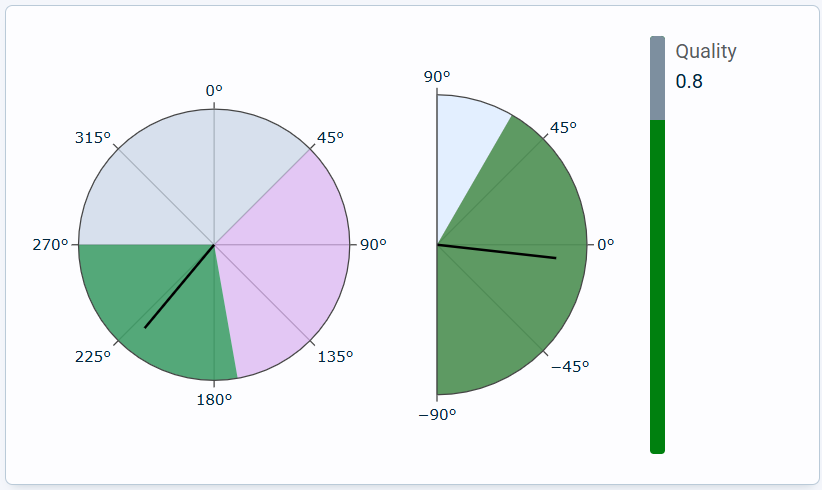
The Noise compass hover window displays the noise compass data based on hovering the mouse over the L(t) graph. The leftmost is the horisontal angle, the middle is vertical angle and to the right is the quality bar.
Noise compass scatter plot
The noise compass scatter plot displays the noise compass data as bubbles having different meanings depending on the parameters set up.
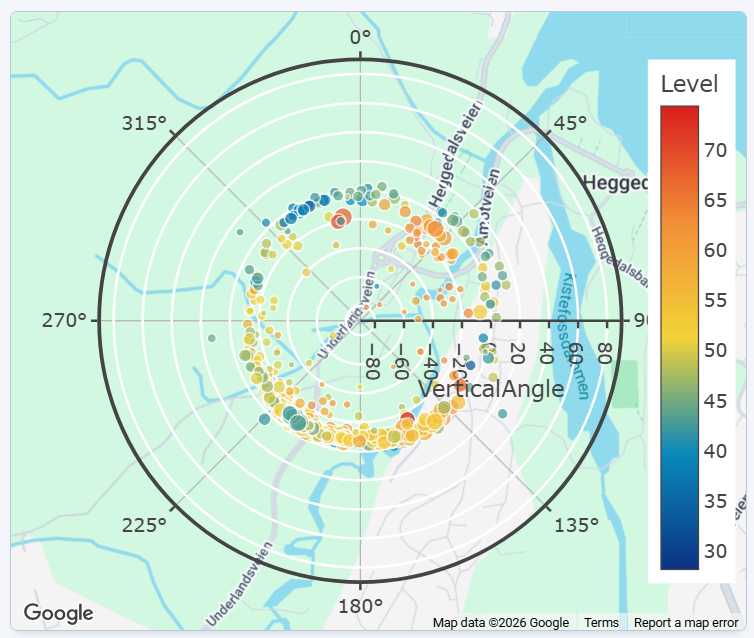
If editing the dashboard, you will get the possibility to edit the setup for the Noise compass scatter window.
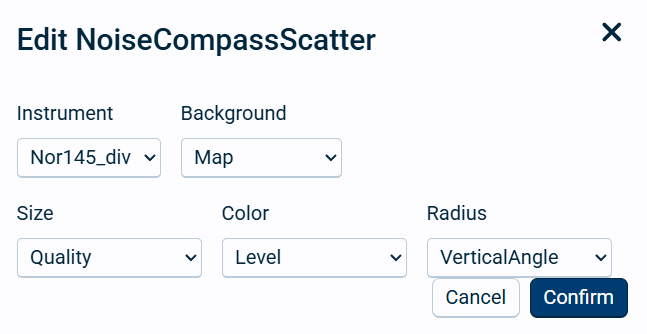
Field name |
Optional / Required |
Data in field |
Information |
|---|---|---|---|
Instrument |
Required |
Select one instrument |
|
Background |
Required |
Empty, Map or Marker Image |
Select what will be the background for the presentation of the noise compass scatter bubbles. The map will be selected from the map used in edit project settings. |
Size |
Required |
Horisontal/vertical angle, Quality, Level or Time |
The selected parameter will affect the size of each bubble. |
Color |
Required |
Horisontal/vertical angle, Quality, Level or Time |
The selected parameter will affect the color of each bubble. A color scale will be given to the right of the circle. |
Radius |
Required |
Horisontal/vertical angle, Quality, Level or Time |
The selected parameter will affect the distance from the center (radius) of the circle for each bubble. |
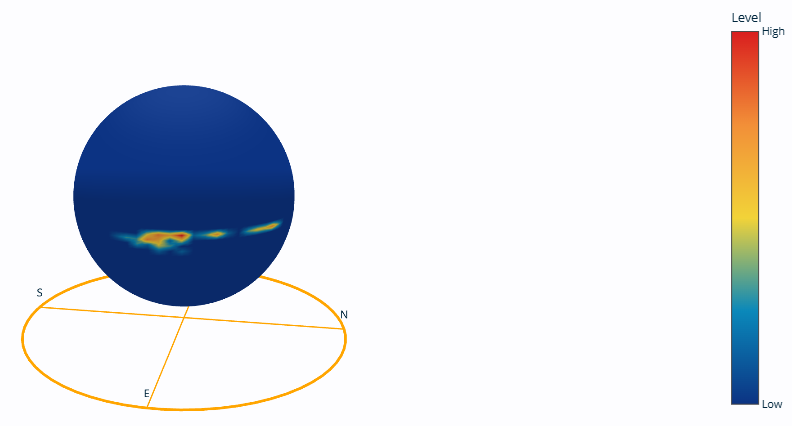
Noise compass heatmap
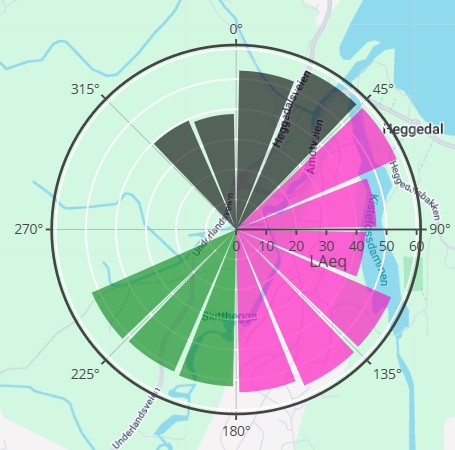
Noise compass rose
The Noise compass rose will display the level distribution for each sector given in the sector setup including colors, divided into 22.5 degrees steps.
Noise compass graph
The noise compass graph will color the graph line according to the color given in the noise compass setup.