The Timeline window is a good tool for selecting partial timeframes for a larger given period selected in the calendar or time selector at the top of the dashboard.
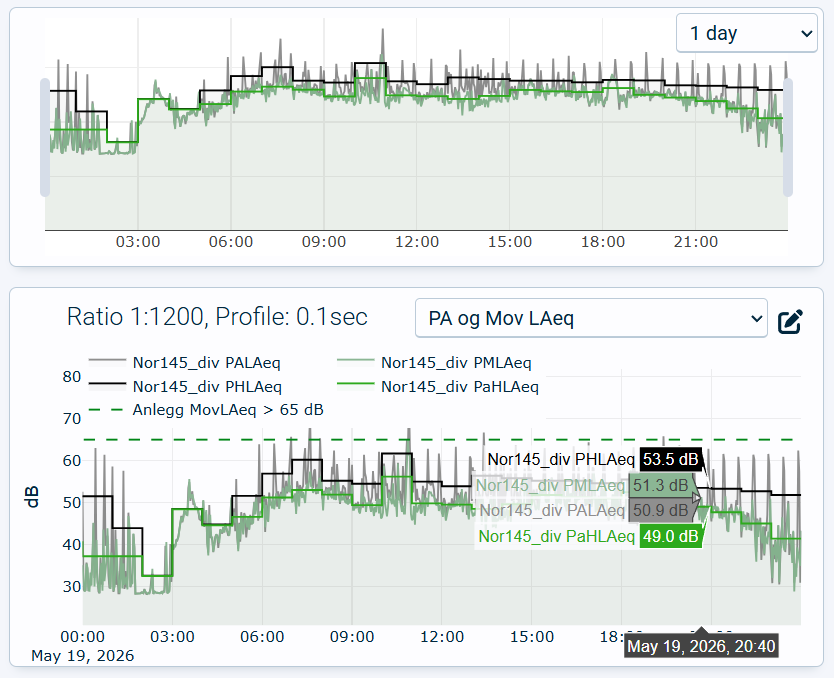
Timeline window at the top with corresponding L(t) graph below
The top right list box gives the possibility to select pre-defined time spans, 30 minutes, 1 hour, 2 hours, 12 hours, one day or the complete selected dashboard time span.
It is also possible to drag and drop the grey handles to select custom time spans.
A preview of the first L(t) graph window is given in the timeline window making it easier to see what time span you are selecting. If no L(t) graph is set up, the time span will still work, but it will be empty and thus harder to navigate.