When recordings in NorCloud are processed by NoiseTag, they are given here in the annotations overview.
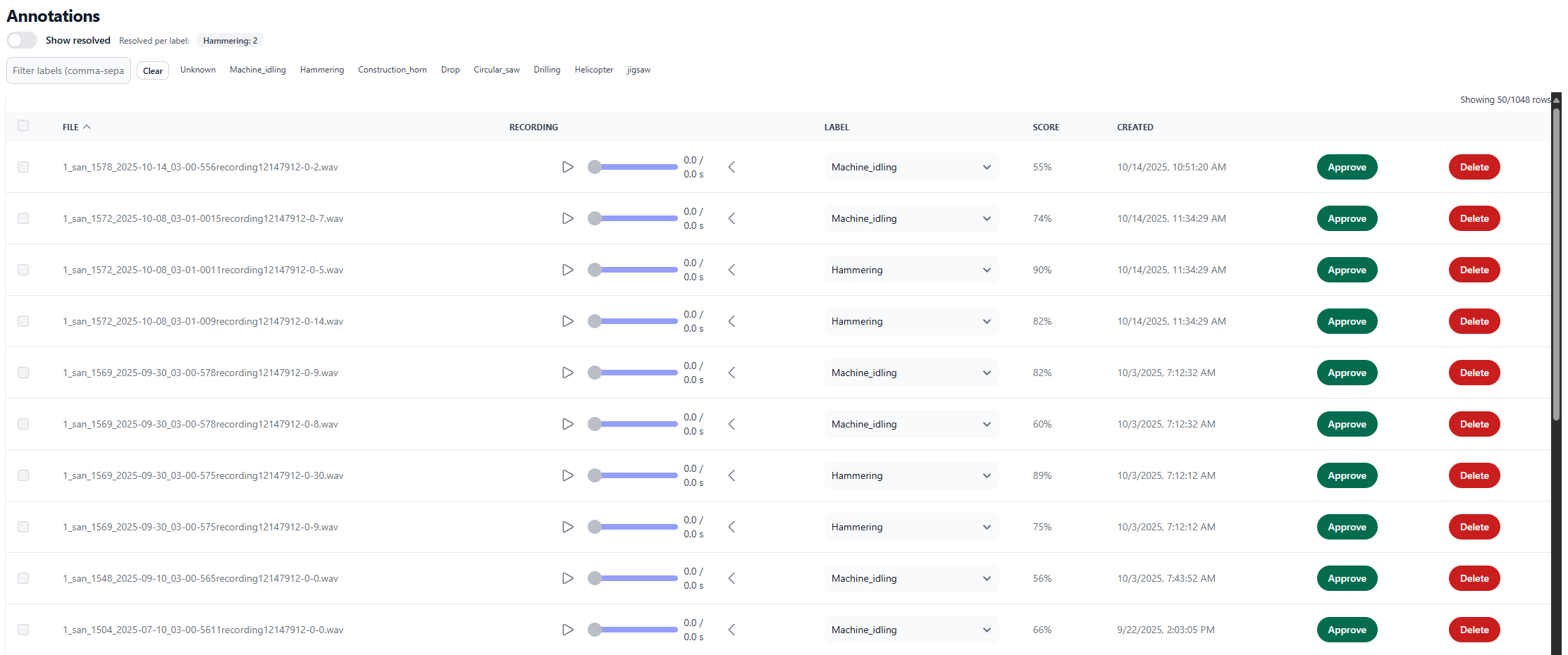
All columns are sortable by clicking on them.
•File is the file name stored in NoiseTag.
•Recording is operations (play/pause) and information about the recording. By pressing the < button you get more information about the recording after pressing the playback button:
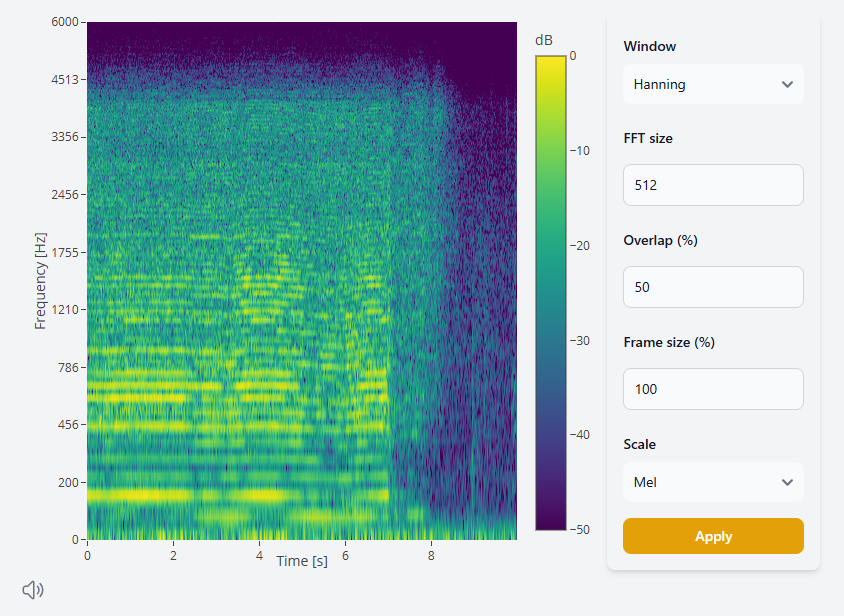
Here you can see the spectrogram of the recording which is possible to customize. In the bottom left corner, you can toggle normalizing of the recording playback.
•Label is the selected taxonomy label for this particular recording.
•Score is a number between 50 and 100 on how confident the model is in it's automatic label selection. If score is below 50, the recording will always be labeled Unknown.
•Created is the time for which the recording was sent to NoiseTag from NorCloud.
•Approve button is used for approving a recording with the selected label.
•Delete button is used for recordings that are not possible to categorize or having too low quality. If getting recordings with too low quality, please check the sound setup parameters for audio recordings in NorCloud.
Tips: When annotating click to sort by the score number and chose the unknowns or lowest one (close to 50) for listening first.
Once you have approved 40 recordings for a label, NoiseTag can automatically begin to recognize it. To build a model, you should at least have two labels with a minimum of 40 annotated recordings.
Once you are finished annotating your sounds in the project, you need to book a new model creation.
The first model that’s created for you will not be very good, but it will help you to do the annotation process faster, and make the model grow faster. When you have annotated even more samples, you can book a new model creation, which then will act as your new model.